Clarion Radio Code Generator – How to Unlock Your Clarion Stereo Safely
If your car radio suddenly shows “CODE” or “SAFE”, this complete guide explains how to find your Clarion radio code, locate the serial number, and unlock your stereo step by step.
A locked Clarion radio is a common issue after a battery change, flat battery, or electrical work. Fortunately, most units can be unlocked in minutes once you have the correct Clarion radio unlock code. Instead of visiting a dealership and paying high fees, you can follow the practical methods below and restore your audio quickly.
What You Will Learn in This Guide
First, you will understand why Clarion radios ask for a code. Next, you will learn where the serial number is located. Finally, you will see exactly how to enter the code without locking the radio again.
Understanding the Clarion Radio Security System
Clarion head units use a built-in anti-theft feature. When power is interrupted, the radio requests a 4 or 5 digit security code. This protects the unit from being reused in another vehicle. However, it can be inconvenient after a simple battery disconnect.
Where the Code Might Already Be Stored
- Owner’s manual or radio code card
- Service booklet or dealership paperwork
- Glovebox sticker added by the installer
- Radio label (rare, but possible on some units)
Additionally, many manufacturers use Clarion as OEM equipment. Therefore, a “factory” radio may still be a Clarion unit underneath.
How to Find Your Clarion Radio Serial Number
Before you can recover your Clarion radio code, you must identify the radio’s serial number. This number connects your specific unit to its unique unlock code.
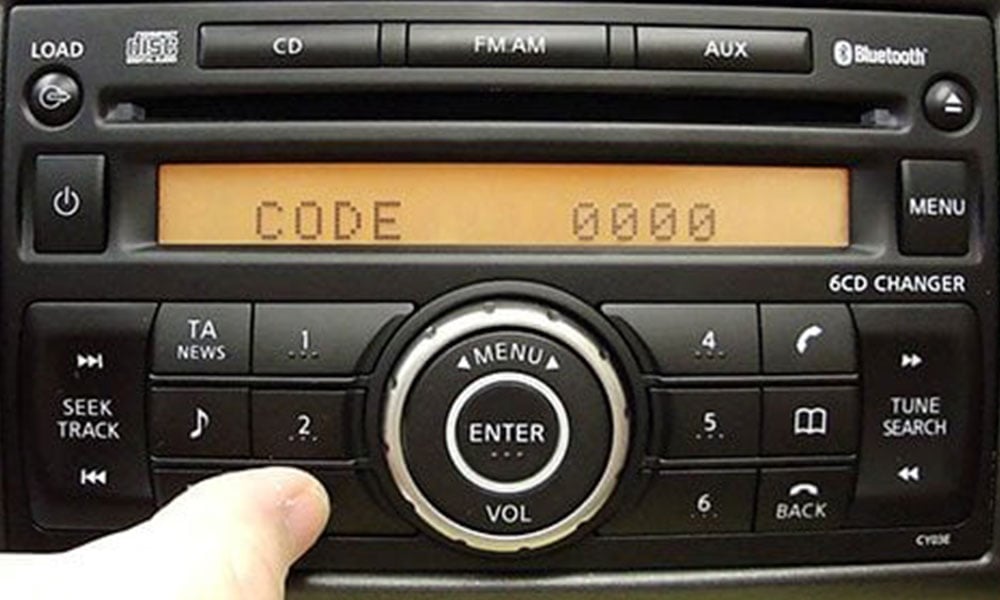
Method 1: On-Screen Display
Some Clarion radios reveal the serial number when you press and hold 1 + 6 or 2 + 6 while turning the unit on. If the number appears, write it down carefully.
Method 2: Remove the Radio
If nothing appears on the display, remove the dash trim using a plastic pry tool. Then unscrew the radio and slide it forward slightly. Look for a label on the side or top of the unit.
Method 3: Check Vehicle Documents
Sometimes the installer or dealership writes the serial number inside the service booklet or warranty documents.
How to Enter the Clarion Radio Code
- Turn the radio on until the screen shows CODE or SAFE.
- Press button 1 to select the first digit.
- Use buttons 2, 3, and 4 for the remaining digits.
- Confirm with 6, TA, or the ▶ arrow.
- If correct, the radio unlocks instantly.
If the screen shows WAIT, leave the ignition on for 30–60 minutes. After that, the code entry screen will return automatically.
Common Clarion Radio Models
NX Series
Includes models such as NX513 and NX615. These usually support serial-based code lookup and standard preset entry.
GCX Series
Found in many European vehicles. Button combinations may vary slightly, but the unlock process is similar.
MAX Series
Newer multimedia systems with advanced security. These often require professional database retrieval.
Troubleshooting Common Problems
Radio Still Shows “SAFE”
This usually means the code was entered incorrectly. Double-check the serial number and try again after the waiting period.
Code Not Accepted
Ensure the radio has not been swapped from another vehicle. A code only works with the original unit it was generated for.
Permanent Lock Messages
Messages like LOCKED 10 often require dealer-level diagnostic tools. In these cases, professional support is necessary.
Video Tutorials for Visual Learners
If you prefer step-by-step video instructions, you can browse real-world walkthroughs on YouTube: How to enter Clarion radio code (video tutorials) .