Volkswagen Transporter T5 Radio Code
If your Volkswagen Transporter T5 radio is asking for a code, showing SAFE, 1000, CODE or ENTER CODE, the radio is locked and needs the correct security code before it can work again.
This usually happens after the battery has been disconnected, replaced, fully drained, or after the radio unit has been removed from the van. The good news is that most VW Transporter T5 radio codes can be recovered using the serial number printed on the radio label.
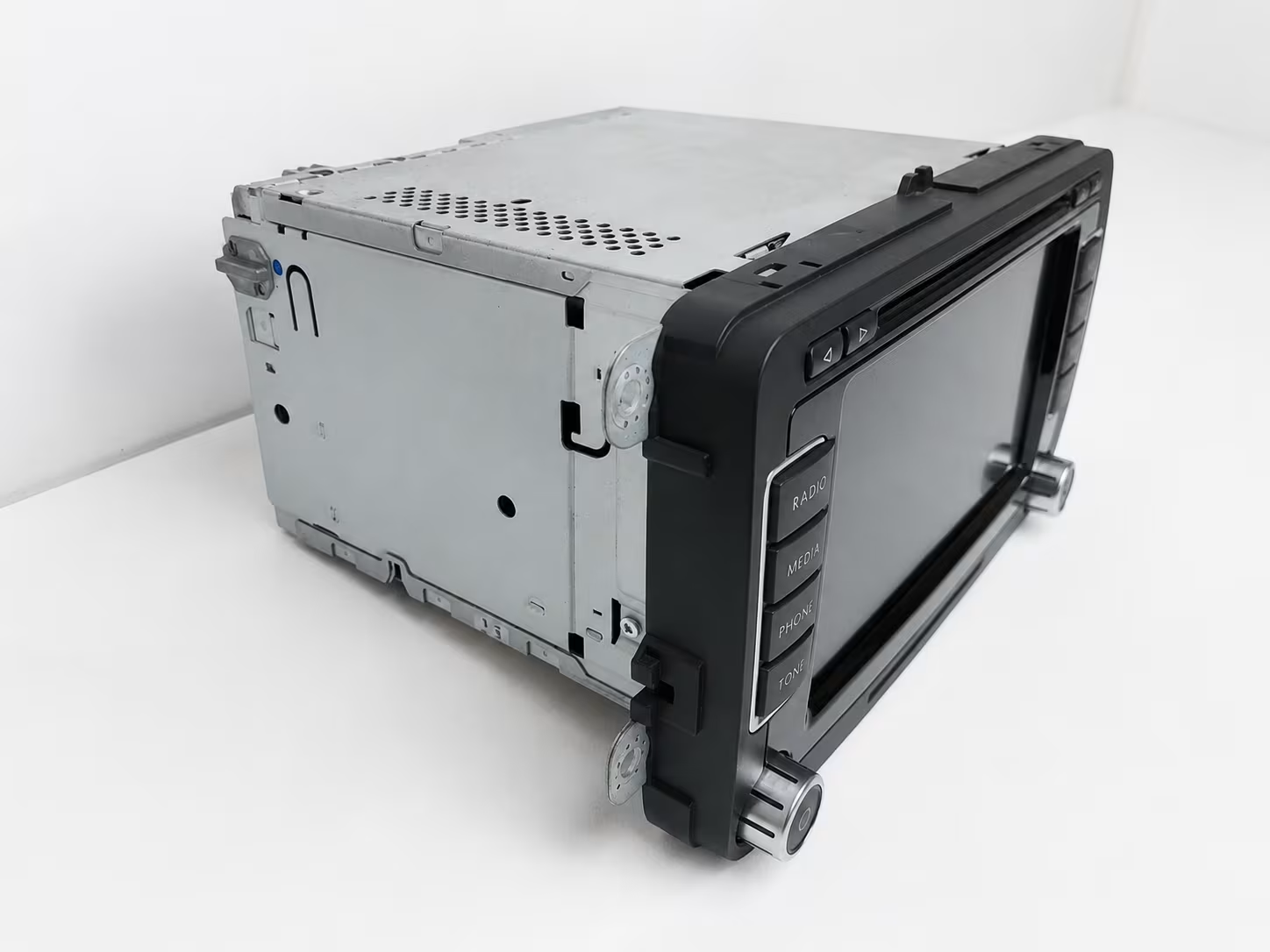
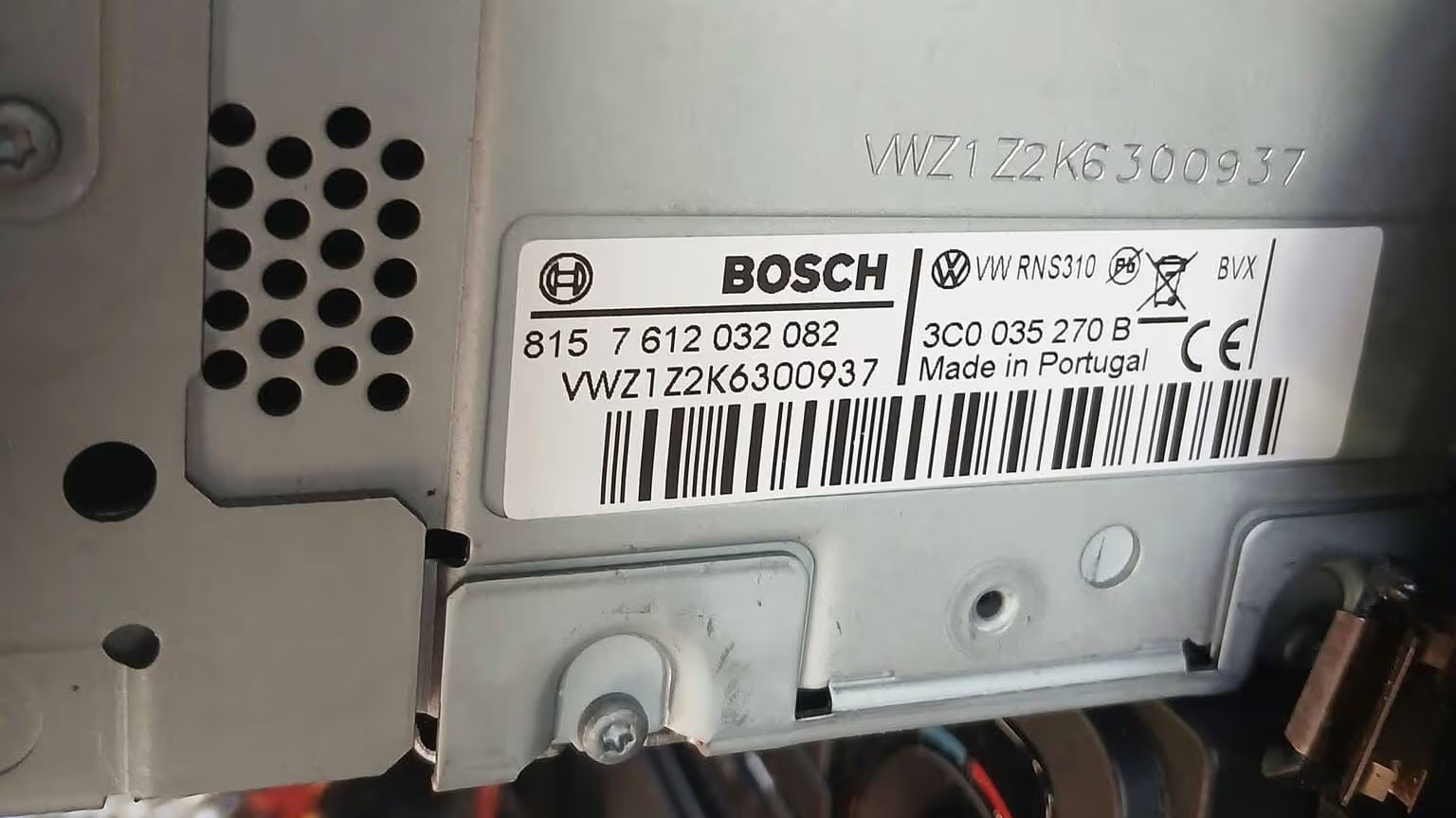
How to Get Your VW Transporter T5 Radio Code
To unlock the radio, you need the serial number from the original radio unit. On many Volkswagen Transporter T5 radios, the serial starts with VWZ, followed by a series of letters and numbers.
Remove the radio
Carefully remove the radio from the dashboard so you can see the label on the top or side of the unit.
Find the serial number
Look for a serial beginning with VWZ. Take a clear photo of the full radio label, including the part number and model details.
Enter your code
Once you receive the correct 4-digit code, enter it on the radio screen to unlock the unit.
If you need a general guide for locating serial numbers on different radios, you can also read: How to Find Your Radio Serial Number.
Where Is the Serial Number on a Transporter T5 Radio?
The serial number is not normally shown on the dashboard. In most cases, you must remove the radio and check the sticker on the metal casing. The label usually includes the manufacturer name, part number, model number and serial number.
A VW Transporter T5 radio serial may look similar to these examples:
- VWZ1Z…
- VWZ2Z…
- VWZ4Z…
- VWZ7Z…
Supported Volkswagen Transporter T5 Radio Models
The Transporter T5 was fitted with several original Volkswagen radio and navigation units. The code can usually be recovered for most factory units when the correct serial number is available.
| Radio Model | Common in Transporter T5 | Code Support |
|---|---|---|
| RCD 200 | Yes | Supported |
| RCD 210 | Yes | Supported |
| RCD 300 | Yes | Supported |
| RCD 310 | Yes | Supported |
| RCD 500 | Yes | Supported |
| RCD 510 | Yes | Supported |
| RNS 300 | Yes | Supported |
| RNS 310 | Yes | Supported |
| RNS 315 | Yes | Supported |
| RNS 510 | Yes | Supported |
| Blaupunkt / Bosch / Grundig | Yes | Supported when serial is readable |
Why Does the VW Transporter T5 Radio Ask for a Code?
Volkswagen uses radio codes as an anti-theft protection system. When the radio loses power, it may no longer recognize the vehicle immediately and will ask for the security code before it starts working again.
Common reasons include:
- Battery disconnected or replaced
- Flat battery or low voltage
- Radio removed from the van
- Electrical work carried out on the vehicle
- Second-hand radio installed
- Wrong code entered too many times
Transporter T5 radio showing SAFE
If the display shows SAFE, the unit is locked and waiting for the correct code. In some cases, you need to leave the ignition and radio switched on until the code entry screen appears.
Transporter T5 radio showing 1000
If the radio shows 1000, it is usually ready for code entry. Use the preset buttons or knob controls to enter the correct 4-digit code.
Transporter T5 radio says incorrect code
If the code is not accepted, do not keep guessing. Check that the serial number was read correctly from the label. One wrong letter or number can lead to the wrong radio code.
How to Enter the Volkswagen Transporter T5 Radio Code
Once you have your 4-digit VW radio code, switch on the ignition and turn on the radio. Wait until the code entry screen appears. Depending on the radio model, you may need to use the preset buttons, tuning knob or menu controls to enter the digits.
After entering the correct code, confirm it using the radio’s OK, ENTER, SEEK or button combination, depending on the unit.
Step-by-step video showing how to enter a Volkswagen radio code.
Can You Get a VW Transporter T5 Radio Code From VIN?
Many Transporter owners search for a VW radio code using the VIN number. In reality, the VIN alone is usually not enough for an online radio code lookup. The safest method is to use the serial number printed directly on the radio label.
This is especially important if the radio was replaced in the past. A second-hand radio may not match the van’s VIN, but the radio label will still identify the actual unit installed in the dashboard.
Related Volkswagen Radio Code Guides
These internal guides may also help if you own another Volkswagen model or need more information about VW radio codes:
Frequently Asked Questions
How do I get my Volkswagen Transporter T5 radio code?
Remove the radio, take a clear photo of the label and use the serial number printed on the unit. Most VW Transporter T5 radios need the VWZ serial number to recover the correct unlock code.
Where is the serial number on a VW Transporter T5 radio?
The serial number is printed on the sticker attached to the radio unit. It is usually found on the top or side of the radio, so the radio normally needs to be removed from the dashboard.
What does SAFE mean on my Transporter T5 radio?
SAFE means the radio is locked and waiting for the correct security code. This commonly happens after a battery change, power loss or radio removal.
How many digits is the VW Transporter T5 radio code?
Most original Volkswagen Transporter T5 radio codes are 4 digits.
Can I unlock the radio with the VIN number only?
Usually no. The radio serial number from the label is normally required. The VIN may not be enough, especially if the radio was replaced before.
What if my radio shows 1000?
If the display shows 1000, the radio is usually ready for code entry. Enter the correct 4-digit code using the radio buttons or controls.
What happens if I enter the wrong code?
Several wrong attempts can temporarily lock the radio and increase the waiting time. Do not guess random codes.
Does this work for RCD and RNS units?
Yes, many RCD and RNS radio units fitted in Volkswagen Transporter T5 models are supported when the correct serial number is available.
Can I use this guide for a second-hand radio?
Yes. If the radio was replaced, the serial number on the radio label is even more important because the unit may not match the van’s VIN.
Why did my radio lock after changing the battery?
The radio lost power and activated its anti-theft security mode. Entering the correct radio code will unlock it.
What photo should I send?
Send a clear photo of the full radio label. The serial number, part number and manufacturer details must be readable.
Can I try free random codes online?
It is not recommended. Random codes can lock the radio for longer and may make the process harder. Always use the correct code generated from the serial number.